Built to not lose your words
Your dictations are normally saved to History. If one didn’t paste where you wanted, just copy it from there — and if a dictation can’t be typed or saved, SaySo puts it on your clipboard.
SaySo listens, then types what you mean — no umms, no typos, no fuss. Most people speak about three times faster than they type — and your wrists get a break.
For people who dictate all day and are done paying monthly rent for it.
One-time payment. Mac & Windows. 7-day money-back guarantee.
Runs on your own key — about 5¢ per 10 minutes of dictation, free credit to start. No monthly bill, ever.
…and your words land wherever your cursor is
Three steps. That’s the whole app. Keep scrolling — watch it happen.
Pick any key you like. Hold it down — like a walkie-talkie.
Talk like you normally talk. Umms and ahhs are totally fine.
Your words appear where your cursor is — tidied up and spelled right. A copy is saved to your History, too.
hold it down…
SaySo is listening
✓ typed & saved to History
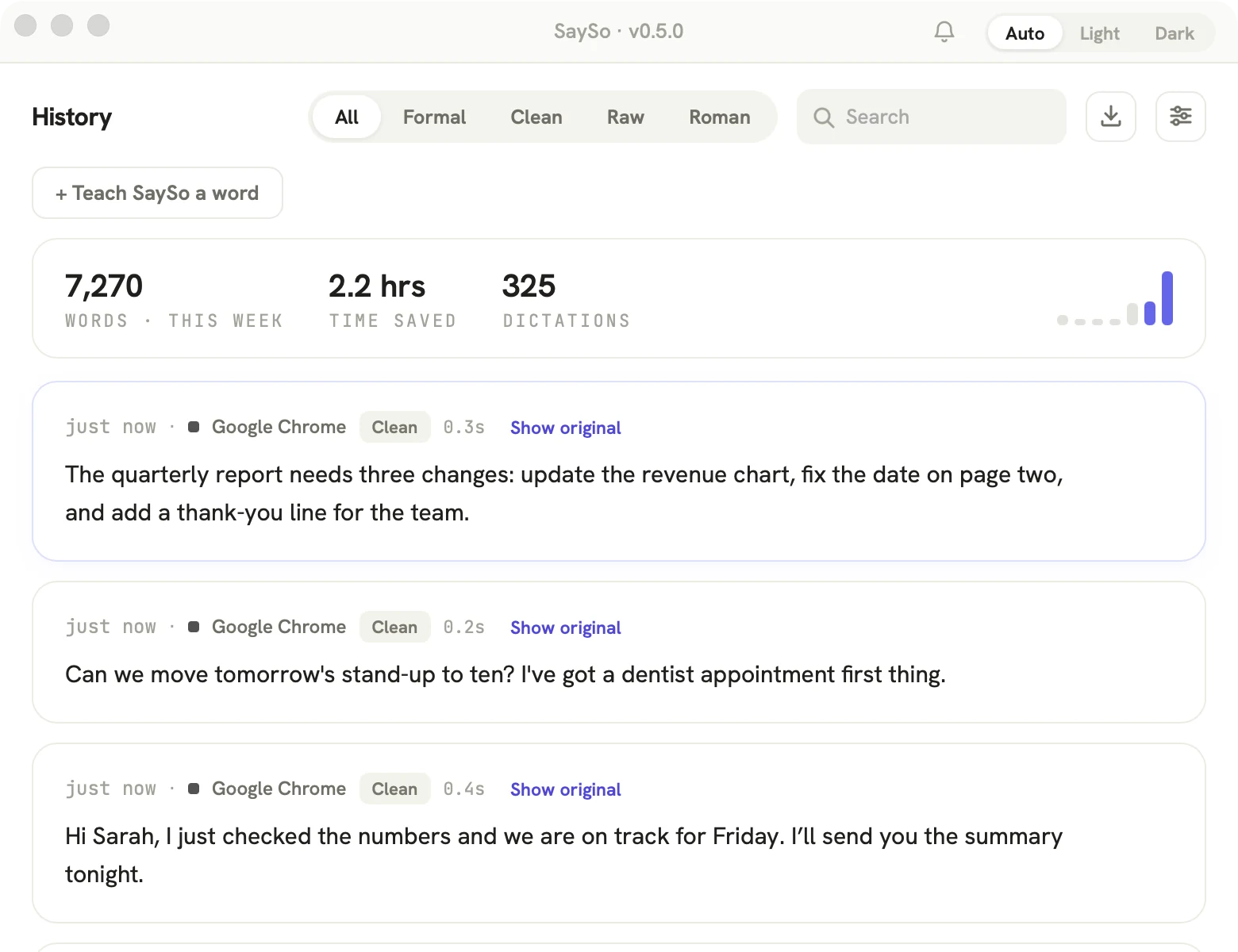
Clean throws away the umms and the false starts and fixes your spelling — but keeps your voice. Just neater.
Polish rewrites your words into a formal, well-structured note — perfect for email. You choose how far it goes — Light, Medium or Strong — or let SaySo choose the right style for each app, all by itself.
um, so basically— can you, can you send me the file today? i wanna look at it before our meeting
Most dictation tools type Hindi in Devanagari and Urdu in Nastaliq. SaySo can type both in Roman script — the Latin letters many Hindi and Urdu speakers use in messages. Pick Hindi — Roman letters or Urdu — Roman letters in Settings, hold your key, and speak.
Ek button dabayein aur likhte jaen. Maja na aaye to paise wapas!
Agar aap roz roz ke monthly subscription se pareshan hain to SaySo aapke liye ek behtareen lifetime option hai. Jo bina kisi galti ke aapki aawaz ko typing se teen guna tezi se badal deta hai.
Dictated with SaySo by its founder — tidied only for capitalization and the brand-name spelling. Roman output requires a Groq key, which is optional for other modes.
Most talk-to-type apps charge you every single month — $15 here, $12 there — forever, just to keep using them. Stop paying. That’s the whole reason we made SaySo.
≈ $180 every year. Forever.
One month of theirs — but yours forever.
7-day money-back guarantee — full refund if it's not for you.
No monthly rent. You connect your own Deepgram account — plus an
optional Groq key for AI cleanup — in a guided setup, so the
running cost stays yours — about
5¢ per 10 minutes of dictation, billed only while the talk key
is held, and a new Deepgram
account starts with free credit.
New to this? See the 2-minute key guide →
Full pricing breakdown →
 Nilanshu Aggarwal · on LinkedIn ↗
“Purchased. Hoping it works as good as Wispr and takes lesser strain on PC resources.”
 Shabbir Vasi · on LinkedIn ↗
“I actually like the ‘pay once’ approach more than subscriptions. Saving $180 a year on a tool you use daily is a real difference. Plus, the ‘bring your own API key’ feels way more flexible than locked-in plans.”
 Gaurav S. · on LinkedIn ↗
“Building the thing you wished existed instead of paying rent on it forever. That's the right instinct. Genuinely impressive execution.”
When you’re not talking, SaySo shrinks to a little line at the bottom of your screen. It never gets in your way. Try it:
hover the little line ↑ — that’s the whole app
Your dictations are normally saved to History. If one didn’t paste where you wanted, just copy it from there — and if a dictation can’t be typed or saved, SaySo puts it on your clipboard.
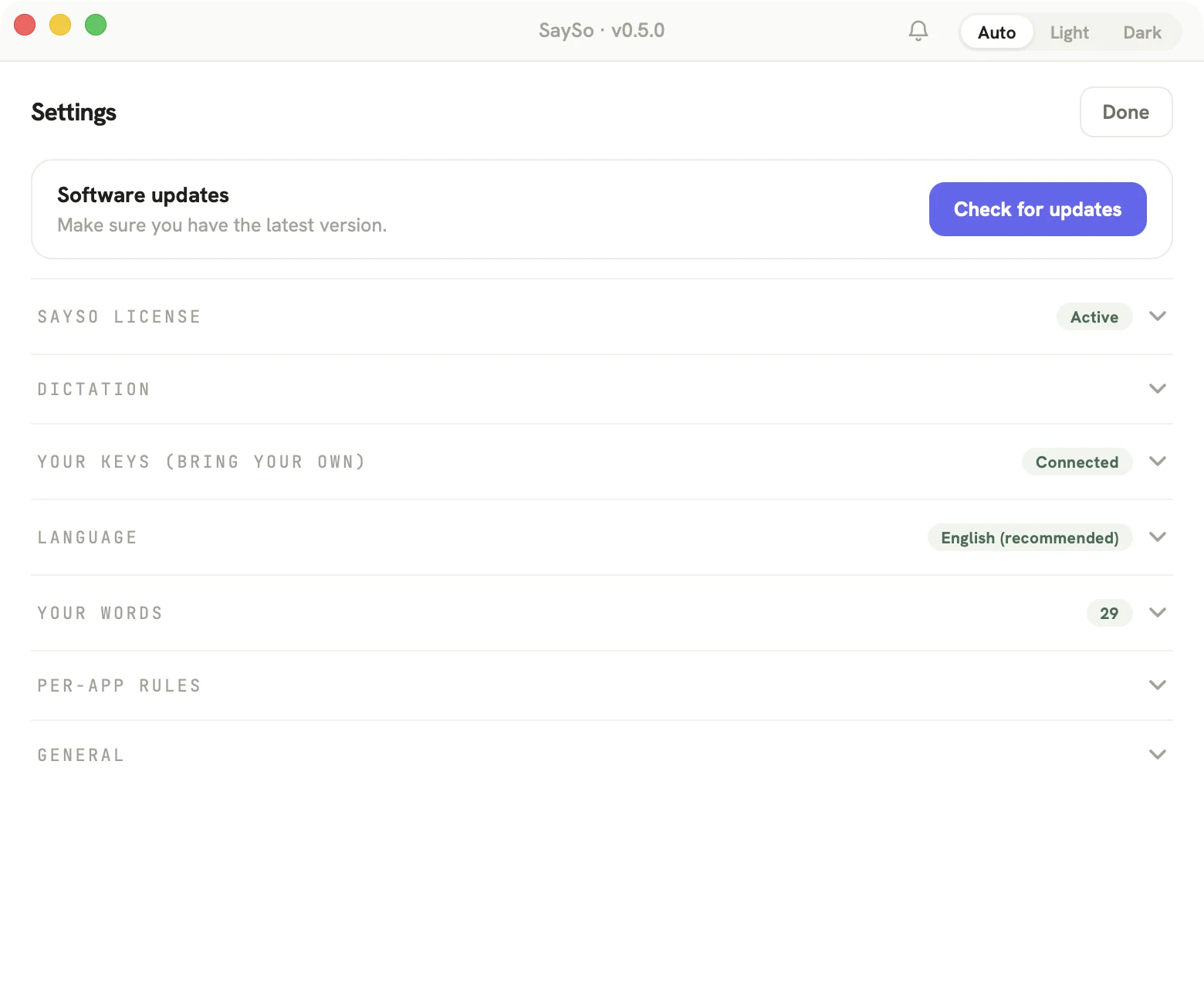
Formal in recognized email apps, exact words in code editors, clean everywhere else — SaySo adapts to the app you're in.
English, Spanish, French, German, Italian, Portuguese, Dutch, Hindi, Russian & Japanese. SaySo detects which one automatically — even if you switch mid-sentence.
Words dictated, hours saved — counted quietly, shown beautifully.
Release the key and your words are there. Lightweight, quiet, and kind to your battery.
Matches your computer, day and night. Same on Mac and Windows.
These are unretouched screenshots of SaySo 0.5.0 on a Mac — dictated for real, captured for real.

the listening pill, mid-dictation — actual size
One-time $19.99, yours for life. Buy it and your license key lands in your inbox — then download the app and paste the key in. Not for you? Full refund within 7 days — just email.
Already bought? Download the app:
The Windows app is in beta and not code-signed yet, so Windows may show a blue “protected your PC” box — that’s expected. Click More info → Run anyway to install.
Version, checksums, install & uninstall details →
PAY ONCE · NO SUBSCRIPTION · 7-DAY MONEY-BACK · MACOS 12+ · WINDOWS 10+